# 履歴の復元

履歴の復元についてご説明いたします。<br>

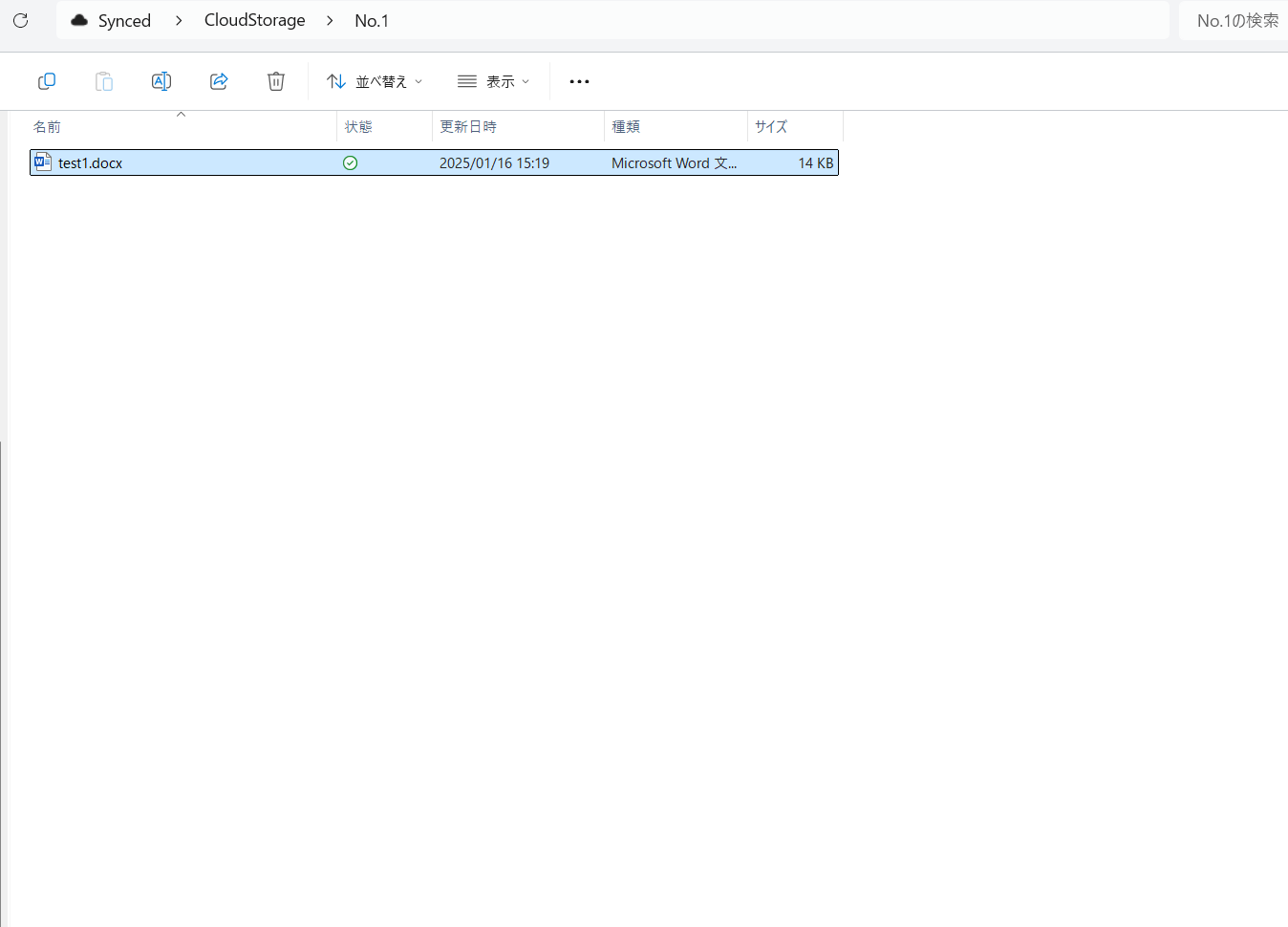
復元したいファイルを選択します。<br>
<img src="https://help-cloud.n2m1.com/uploads/images/gallery/2025-01/scaled-1680-/2025-01-16-152554.png" width="80%"><br>

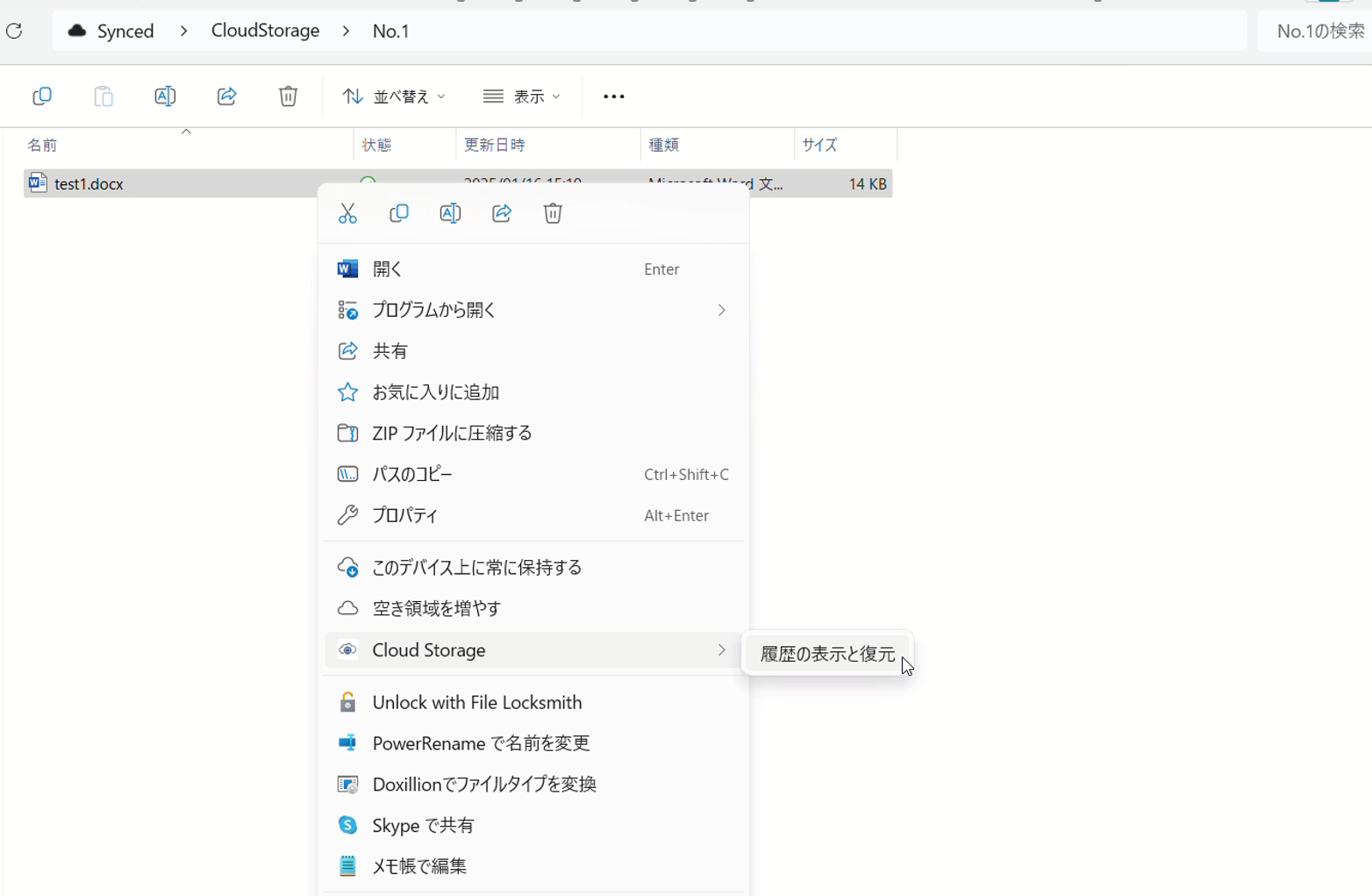
右クリックをして、[**Cloud Storage**]から[**履歴の表示と復元**]をクリックします。<br>
<img src="https://help-cloud.n2m1.com/uploads/images/gallery/2025-01/scaled-1680-/2025-01-16-153550.png" width="80%"><br>

<br>
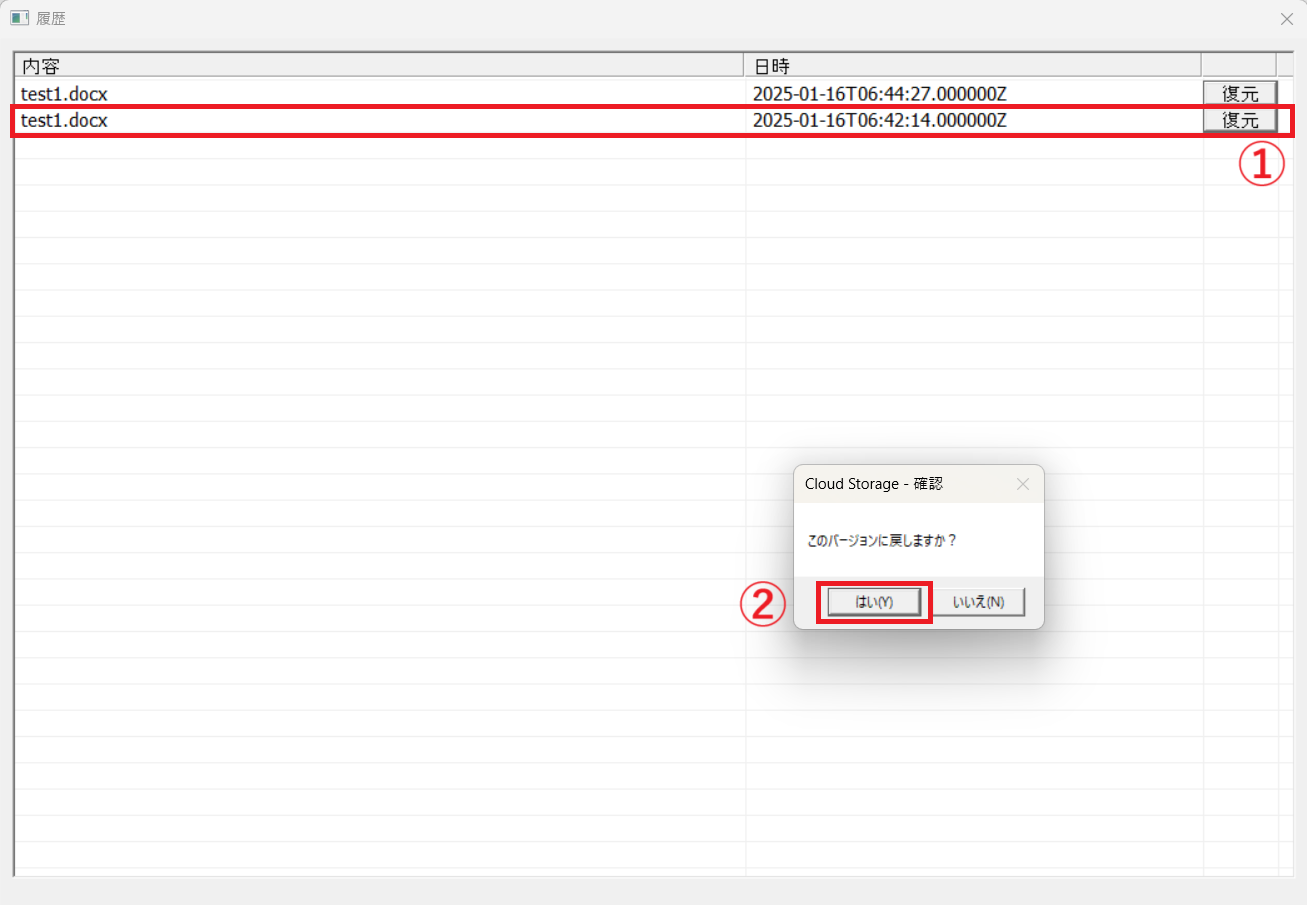
復元したい時間帯の履歴の右側にある[**復元**]をクリックします。<br>
[**このバージョンに戻しますか？**]の表示にある[**OK**]ボタンをクリックします。<br>
<span style="color: red;">※履歴は編集する前の状態で、３０件まで残ります。</span><br >

[![1.png](https://help-cloud.n2m1.com/uploads/images/gallery/2025-01/scaled-1680-/Nqf1.png)](https://help-cloud.n2m1.com/uploads/images/gallery/2025-01/Nqf1.png)

<br>
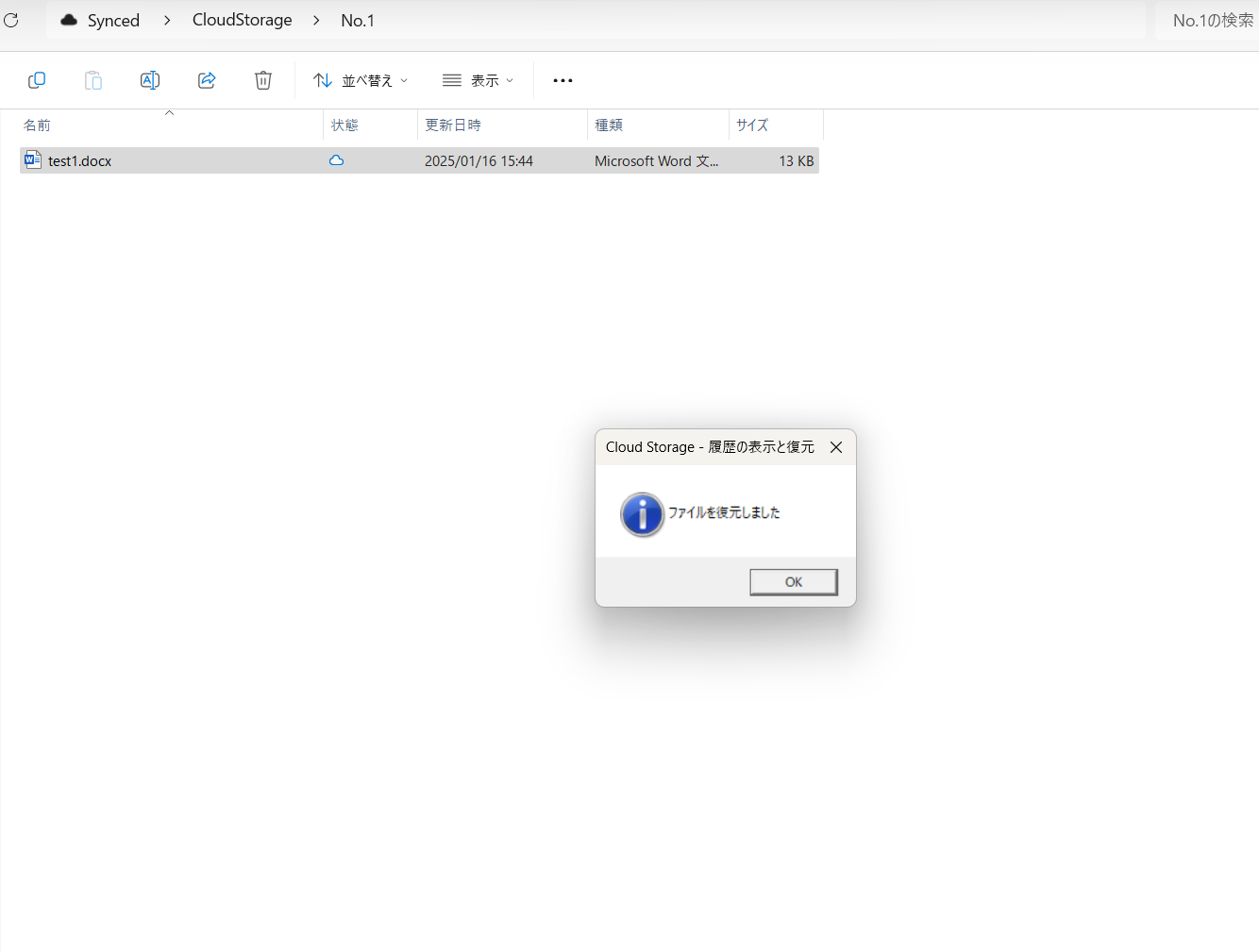
復元が完了しました。<br>

[![スクリーンショット 2025-01-16 155642.png](https://help-cloud.n2m1.com/uploads/images/gallery/2025-01/scaled-1680-/2025-01-16-155642.png)](https://help-cloud.n2m1.com/uploads/images/gallery/2025-01/2025-01-16-155642.png)