# デバックログの取得方法

動画の場合はこちらから↓<br>
<iframe width="560" height="315" src="https://www.youtube.com/embed/n978k3hgKVc?si=6sR1ttcpc7ENo9rV" title="YouTube video player" frameborder="0" allow="accelerometer; autoplay; clipboard-write; encrypted-media; gyroscope; picture-in-picture; web-share" referrerpolicy="strict-origin-when-cross-origin" allowfullscreen></iframe>

<br>
<br>

Windowsクライアントのデバックログ取得の手順をご説明いたします。<br>

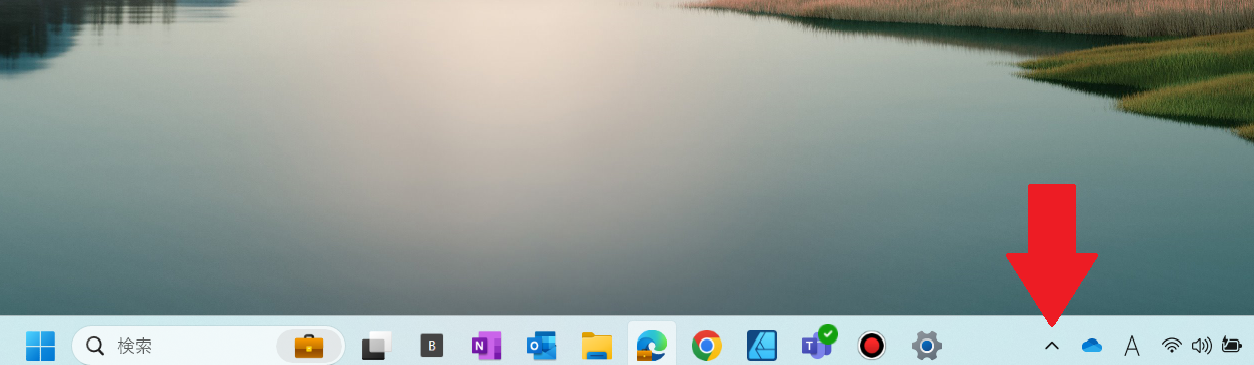
タスクトレイをクリックします。<br>
[![デバックログ１png.png](https://help-cloud.n2m1.com/uploads/images/gallery/2024-09/scaled-1680-/png.png)](https://help-cloud.n2m1.com/uploads/images/gallery/2024-09/png.png)

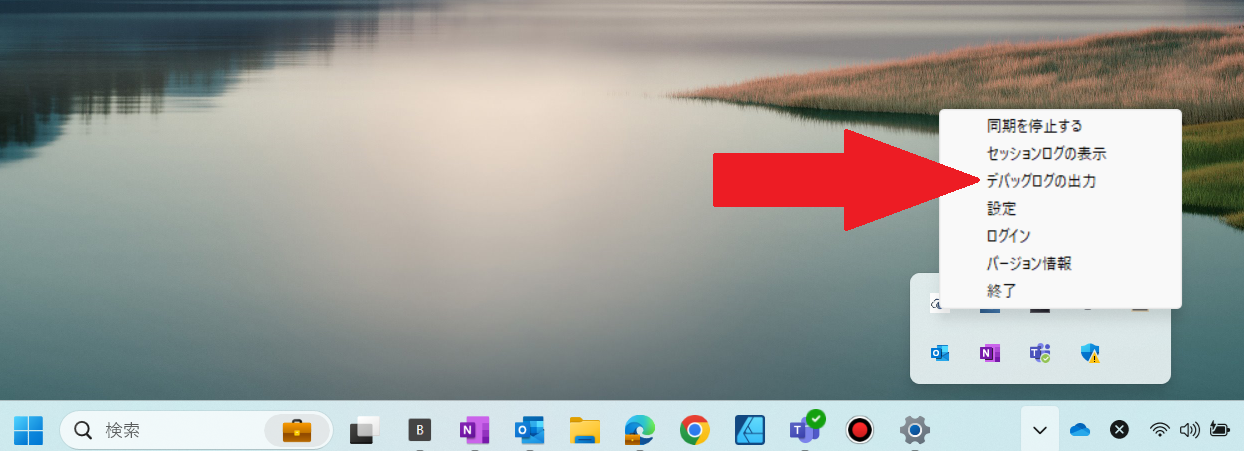
Cloud Storageを右クリックして[**デバックログの出力**]をクリックします。<br>
[![デバックログ２.png](https://help-cloud.n2m1.com/uploads/images/gallery/2024-09/scaled-1680-/EcKnRWlbZX.png)](https://help-cloud.n2m1.com/uploads/images/gallery/2024-09/EcKnRWlbZX.png)

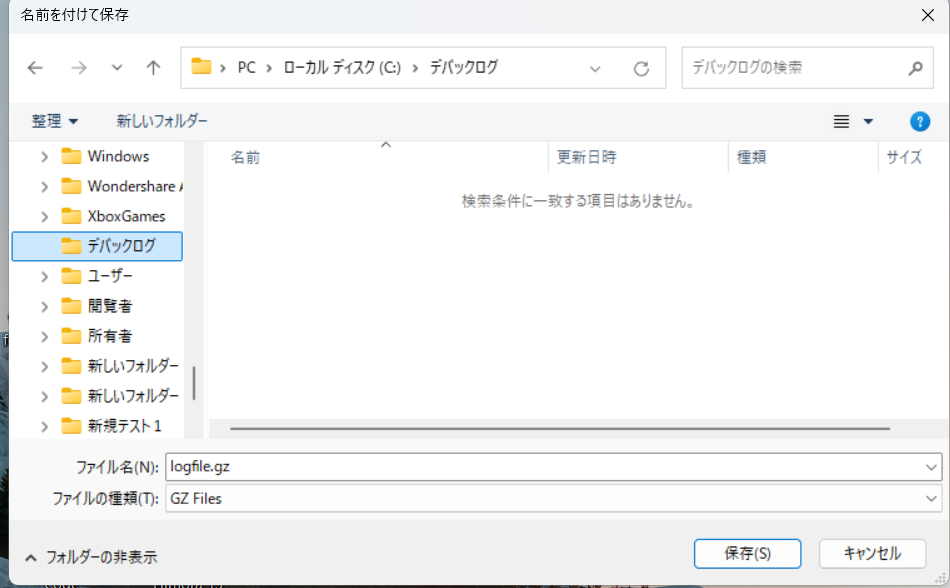
保存場所を選択し保存をクリックします。<br>
<img src="https://help-cloud.n2m1.com/uploads/images/gallery/2024-09/scaled-1680-/2024-09-12-142914.png" width="80%"><br>

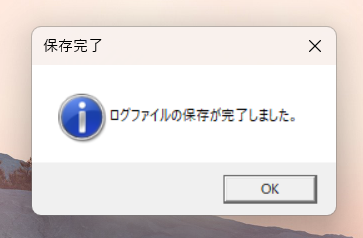
完了ログが表示されたら[**OK**]をクリックして完了です。<br>
[![スクリーンショット 2024-09-12 143309.png](https://help-cloud.n2m1.com/uploads/images/gallery/2024-09/scaled-1680-/2024-09-12-143309.png)](https://help-cloud.n2m1.com/uploads/images/gallery/2024-09/2024-09-12-143309.png)