# 組織の設定

動画の場合はこちらから↓<br>
<iframe width="560" height="315" src="https://www.youtube.com/embed/JNMPMkrrBcE?si=YzaeMSuz6k-iRnTZ" title="YouTube video player" frameborder="0" allow="accelerometer; autoplay; clipboard-write; encrypted-media; gyroscope; picture-in-picture; web-share" referrerpolicy="strict-origin-when-cross-origin" allowfullscreen></iframe>
<br>
<br>

組織の設定の手順をご説明いたします。

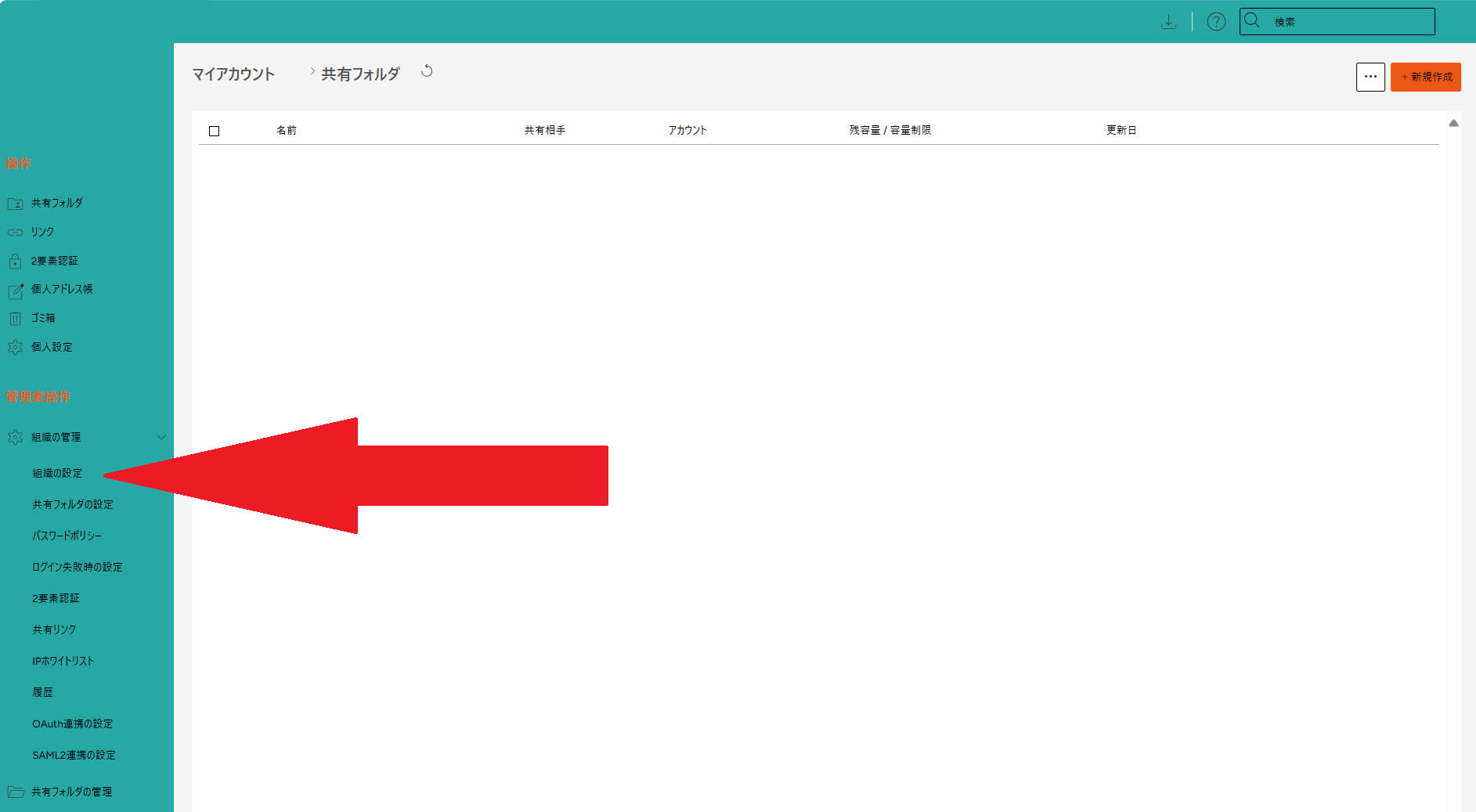
ログイン画面左の項目から、**管理者操作** > **組織の管理** > **組織の設定** を開きます。<br>
<img src="https://help-cloud.n2m1.com/uploads/images/gallery/2024-12/scaled-1680-/mO41.png" width="100%"><br>
<br>
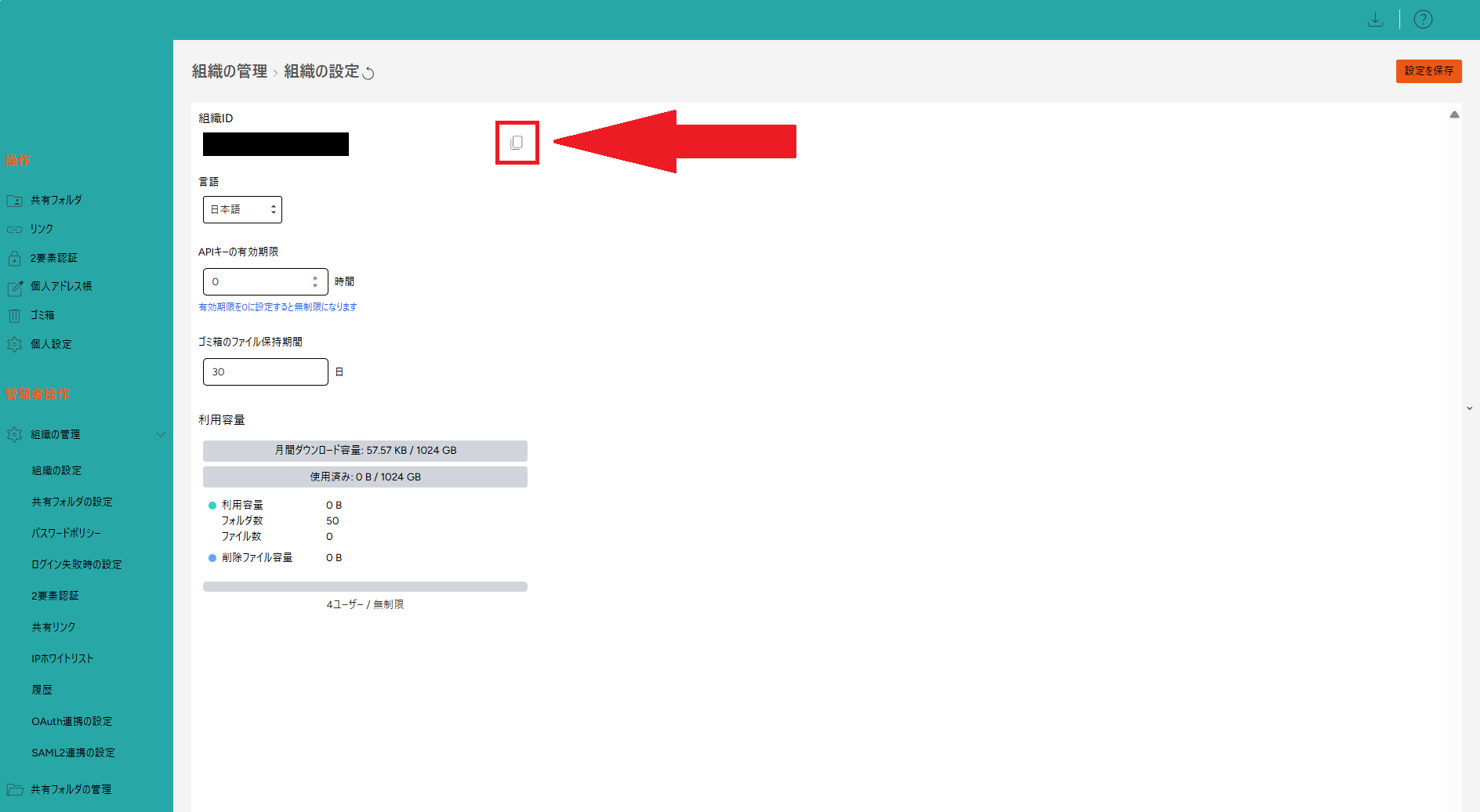
組織IDの右端にあるボタンから、IDのコピーが出来ます。<br>
[![2.png](https://help-cloud.n2m1.com/uploads/images/gallery/2024-12/scaled-1680-/r5e2.png)](https://help-cloud.n2m1.com/uploads/images/gallery/2024-12/r5e2.png)
<br>

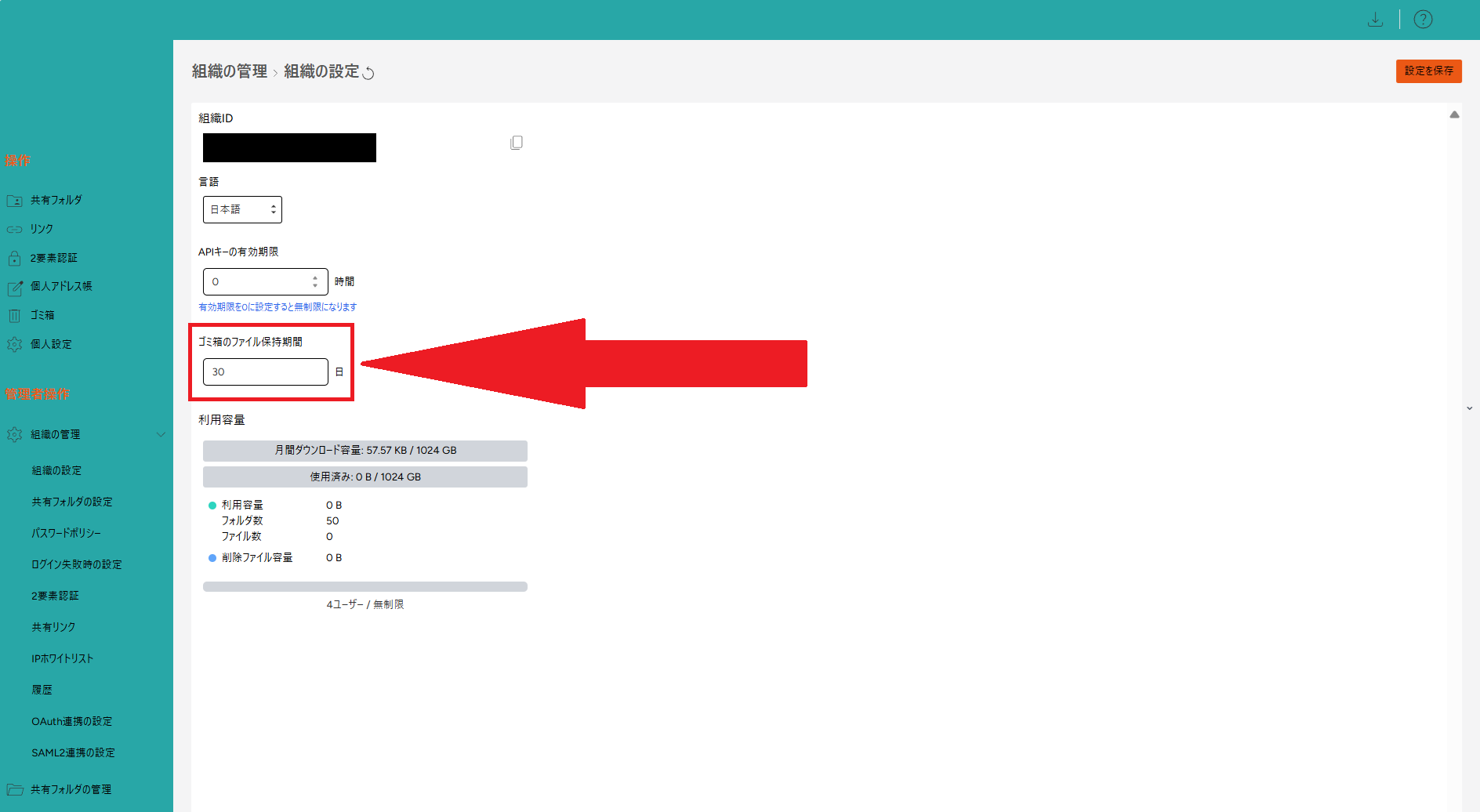
ゴミ箱のファイル保持期間(デフォルトは30日間)<br>
を設定できます。<br>
[![3.png](https://help-cloud.n2m1.com/uploads/images/gallery/2024-12/scaled-1680-/lmf3.png)](https://help-cloud.n2m1.com/uploads/images/gallery/2024-12/lmf3.png)

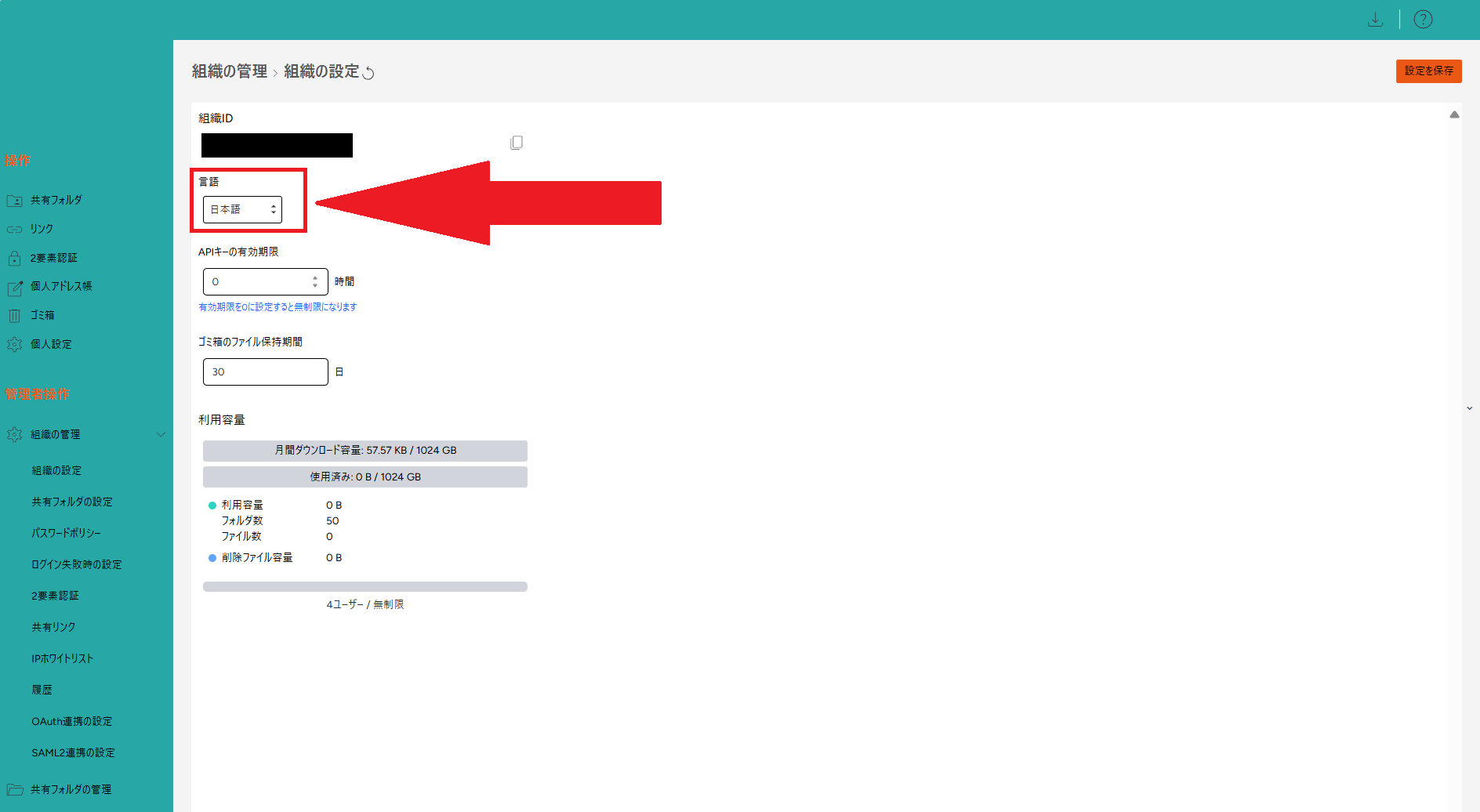
言語を変更する場合、日本語orEnglishを選ぶことができます。<br>
[![4.png](https://help-cloud.n2m1.com/uploads/images/gallery/2024-12/scaled-1680-/4oj4.png)](https://help-cloud.n2m1.com/uploads/images/gallery/2024-12/4oj4.png)
<br>

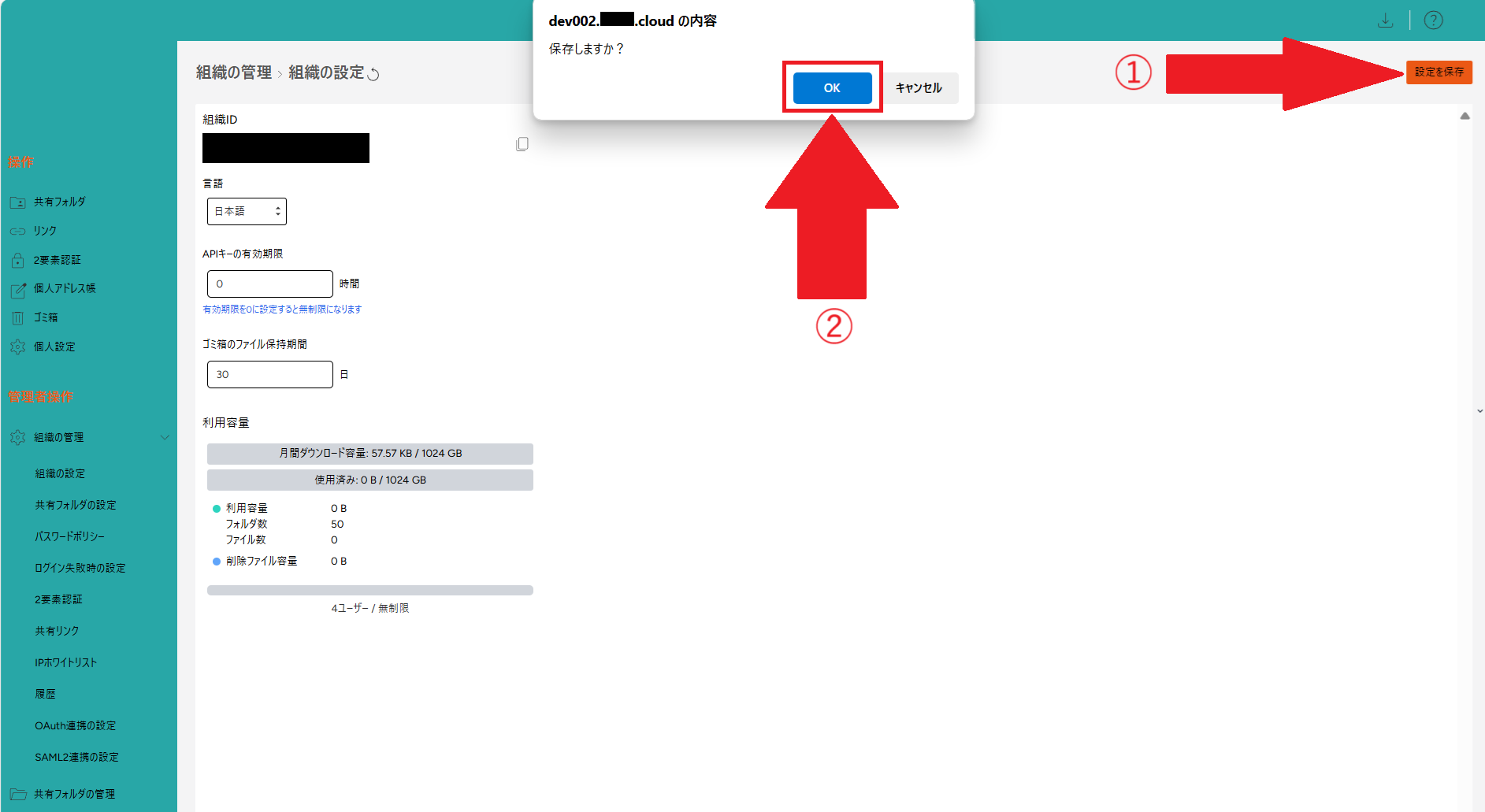
変更を行った場合は、<br>
①右上の[**設定を保存**]をクリックします。<br>
②「保存しますか？」と表示されるので、[**保存**]ボタンをクリックします。<br>
<img src="https://help-cloud.n2m1.com/uploads/images/gallery/2024-12/scaled-1680-/Gqj03.png" width="100%"><br>

更新を行うと、変更が反映されます。